Other Articles
- IAM - Enable User MFA
- IAM - Enforce Key Rotation
- IAM - Enforce Active Key Limit
- IAM - Disable Unused User Credentials
- IAM - Enforce Group Permission
- IAM - Enforce Password Length
- IAM - Prohibit Password Reuse
- IAM - Check Root Access Keys Existence
- IAM - Enable Root MFA
- IAM - Establish Support Role
- IAM - Enable Key Rotation
- Purge Expired Certificates
- EC2 Volume – Enable EBS Volume Backup
- EC2 Volume – Enable EBS Encryption
- EFS – Enable EFS Storage Backup
- S3 Bucket – Enable S3 Bucket Versioning
- S3 Bucket – Enable S3 Bucket Encryption
- S3 Bucket – Block S3 Bucket Public Access
- RDS DB Instance – Encryption of Storage
- RDS DB Instance – Enable Deletion Protection
- RDS DB Instance – Enable Auto Minor Version Upgrade
- DynamoDB Table – Enable Table Encryption
- DynamoDB Table – Enable Table Point In Time Recovery
- DynamoDB Table – Enable Table Deletion Protection
- EKS Cluster – Enable Secrets Encryption
- OpenSearch Domain – Enable Encryption at Rest
- RDS DB Cluster – Retain Backups for 7 Days
- RDS DB Cluster – Encryption of Storage
- RDS DB Cluster – Enable Deletion Protection
- EC2 Instance – Monitor CPU Utilization
- ECS Service – Monitor CPU Utilization
- ECS Service – Monitor Memory Utilization
- RDS DB Instance – Monitor Free Storage Space
- RDS DB Instance – Monitor CPU Utilization
- SQS Queue – Monitor Message Age
- SQS Queue – Monitor Message Visibility
- DynamoDB Table – Monitor Table Read Capacity
- DynamoDB Table – Monitor Table Write Capacity
- DynamoDB Table – Monitor Table Latency
- Enable CloudTrail
- Encrypt CloudTrail Logs
- EC2 VPC – Ensure Flow Logs are Enabled
- EKS Cluster – Enable Control Plane Logging
- CloudWatch Log Group – Enable KMS Encryption
- CloudWatch Log Group – Configure Retention
- Load Balancer – Enable Access Logs
- RDS DB Instance – Block Public Access
- EC2 Security Group – Restrict Public SSH and RDP Access
- EC2 Security Group – Restrict Public Database Access
- EKS Cluster – Restrict Public Endpoint
- Load Balancer – Redirect HTTP Traffic to HTTPS
- Load Balancer – Use Strong TLS Policies
- OpenSearch Domain – Enable Node-to-Node Encryption
- OpenSearch Domain – Enforce HTTPS
- OpenSearch Domain – Restrict Public Access
- RDS DB Cluster – Block Public Access
- EC2 Instance – Enable Deletion Protection
- ECS Service – Enable Auto Scaling
- Load Balancer – Enable Deletion Protection
- Enable AWS Security Hub
- Enable GuardDuty
- CloudFront Distribution – Enforce HTTPS for Viewers
- CloudFront Distribution – Require TLS 1.2 for Viewers
- CloudFront Distribution – Associate a WAF Web ACL
- CloudFront Distribution – Protect S3 Origin Access
- KMS Key – Avoid Pending Deletion
- SNS Topic – Enable Encryption
- SNS Topic – Restrict Topic Policy Access
EC2 VPC – Restrict Default Security Group Traffic
Secure Configuration Checks > AWS
This check ensures that the default security group of every VPC has no inbound and no outbound rules. Resources that are launched without a security group are placed in the default group. If it allows traffic, these resources are open to more traffic than their owners expect.
Check Details
- Resource: EC2 VPC (default security group)
- Check: Restrict default security group traffic (
DefaultSecurityGroupRestrictsAll) - Risk: Resources placed in the default group by mistake can talk to each other and to the internet without anyone deciding that they should
What the default group allows
- Inbound: All traffic from other resources that use the same default security group.
- Outbound: All traffic to
0.0.0.0/0, and to::/0in a VPC with IPv6. - You cannot delete the default security group. You can only remove its rules.
Remediation via AWS Console
-
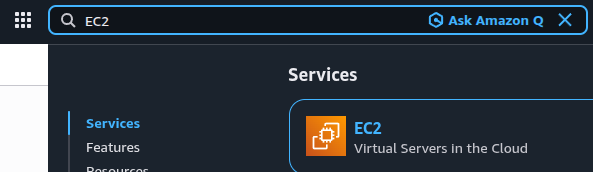
Open the Amazon EC2 console.
-
Go to Security Groups, filter by the name
default, and select the affected VPC's default security group.
-
Copy the security group ID. Go to Network & Security > Network Interfaces and search for that ID. Identify the associated resources.
-
Move each resource to an appropriate security group. For managed network interfaces, make this change through the relevant AWS service console.
-
Under Inbound rules, click Edit inbound rules, delete all rules, and save.

-
Under Outbound rules, click Edit outbound rules, delete all rules, and save.

-
Repeat for every VPC's default security group.
Remediation via AWS CLI
-
Log in to the AWS Management Console and click the CloudShell icon (
>_) in the top-right corner.
-
List the default security groups that still have rules. The output shows the group ID, the VPC ID, the number of inbound rules and the number of outbound rules:
aws ec2 describe-security-groups \
--filters Name=group-name,Values=default \
--output json | \
jq -r '.SecurityGroups[]
  | select((.IpPermissions | length) > 0 or (.IpPermissionsEgress | length) > 0)
  | [.GroupId, .VpcId, (.IpPermissions | length), (.IpPermissionsEgress | length)]
  | @tsv'
The command covers one region. Add
--region <region>to check another. -
Find the network interfaces that still use the default group:
aws ec2 describe-network-interfaces \
--filters Name=group-id,Values=<default-security-group-id> \
--query 'NetworkInterfaces[].[NetworkInterfaceId,Description,Attachment.InstanceId]' \
--output table
Move each interface to a security group of its own. This replaces all of its security groups, so list every group that it should keep:
aws ec2 modify-network-interface-attribute \
--network-interface-id <eni-id> \
--groups <new-security-group-id>
-
Remove all inbound and outbound rules from the default group:
aws ec2 revoke-security-group-ingress \
--group-id <default-security-group-id> \
--ip-permissions "$(aws ec2 describe-security-groups \
  --group-ids <default-security-group-id> \
  --query 'SecurityGroups[0].IpPermissions')"

aws ec2 revoke-security-group-egress \
--group-id <default-security-group-id> \
--ip-permissions "$(aws ec2 describe-security-groups \
 --group-ids <default-security-group-id> \
 --query 'SecurityGroups[0].IpPermissionsEgress')"
Run each command only if the group has rules of that kind. An empty rule list can return an error.
-
Verify that both rule lists are empty:
aws ec2 describe-security-groups \
--group-ids <default-security-group-id> \
--query 'SecurityGroups[0].[IpPermissions,IpPermissionsEgress]'
The expected output is
[[], []].
Replace <default-security-group-id> with the ID of the default group, for example sg-0123456789abcdef0.
Replace <eni-id> with the network interface ID, for example eni-0123456789abcdef0.
Replace <new-security-group-id> with the group that the resource should use instead.
Repeat steps 3 to 5 for every default security group that the list shows.
Updated on 03 November, 2026