Other Articles
- Cloud SQL – Configure Private IP
- Cloud SQL – Monitor CPU Utilization
- Cloud SQL – Enable Deletion Protection
- Cloud SQL – Enable Disk Encryption
- Cloud SQL – Enable Automated Backups
- Cloud SQL – Enable Log Export
- Cloud SQL – Enforce Password Validation
- Cloud SQL – Protect From Internet Access
- Cloud SQL – Enforce Secure Transport
- Compute Engine – Block Project-Wide SSH Keys
- Compute Engine – Disable IP Forwarding
- Compute Engine – Disable Public IP Addresses
- Compute Engine – Disable Serial Port Access
- Compute Engine – Enable Confidential Computing
- Compute Engine – Enable OS Login
- Compute Engine – Enable Shielded VM
- Compute Engine – Restrict Default Service Account
- General – Deny Public Access to KMS Keys
- General – Enforce Duties Separation
- General – Enforce KMS Key Rotation
- General – Restrict Admin Roles on Service Accounts
- Cloud Run – Configure Timeout Settings
- Cloud Storage – Enable Bucket Encryption
- Cloud Storage – Enable Bucket Logging
- Cloud Storage – Enable Bucket Versioning
- Cloud Storage – Enforce Uniform Bucket-Level Access
- Cloud Storage – Restrict Public Access
- IAM Users – Enforce GCP-Managed Keys
- IAM Users – Rotate External User-Managed Service Account Keys
- GKE – Enable Private Nodes
- GKE – Restrict Control Plane Access
- GKE – Enable Workload Identity
- GKE – Disable Legacy ABAC
- GKE – Enable Network Policy
- GKE – Enable Shielded Nodes
- GKE – Enable Node Auto-Upgrade and Auto-Repair
- GKE Cluster – Enable Cluster Logging
- General – Enable Cloud Audit Logs
- General – Configure a Log Sink
- General – Configure Log Bucket Retention
- Cloud SQL – Enable High Availability
- Cloud SQL – Configure Maintenance Window
- Cloud Storage – Configure Bucket Retention or Lifecycle
- General – Enable Security Command Center
- VPC Firewall – Restrict Public SSH and RDP Access
- VPC Firewall – Restrict Public Database Access
- VPC Network – Avoid the Default Network
- VPC Network – Enable Subnet Flow Logs
Compute Engine – Enable Instance Deletion Protection
Secure Configuration Checks > GCP
This check ensures that deletion protection is enabled for Compute Engine instances. Deletion protection stops anyone from deleting an instance by mistake.
Check Details
- Resource: Compute Engine Instance
- Check: Enable instance deletion protection
- Risk: An instance that is deleted by mistake can cause an outage. Data on its disks can also be lost.
Remediation via Google Cloud Console
-
Log in to the Google Cloud Console and navigate to
Compute Engine > VM instances.

- Click on the affected VM instance.
-
Click Edit to modify the instance configuration.
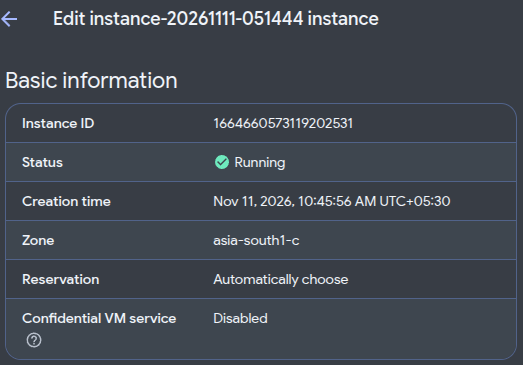
- Scroll to the Deletion protection section.
-
Select Enable deletion protection.

- Click Save to apply the changes.
Remediation via Google Cloud CLI
-
Open the Google Cloud Console and launch
Cloud Shell.

-
List the instances that have no deletion protection:
gcloud compute instances list \
--filter="deletionProtection=false" \
--format="table(name,zone.basename(),deletionProtection)"
-
Enable deletion protection on the instance:
gcloud compute instances update <INSTANCE_NAME> \
--zone=<ZONE> \
--deletion-protection
Replace
<INSTANCE_NAME>with your instance name and<ZONE>with its zone, for exampleus-central1-a. To delete the instance later, first run the same command with--no-deletion-protection. -
Verify the setting:
gcloud compute instances describe <INSTANCE_NAME> \
--zone=<ZONE> \
--format="value(deletionProtection)"
The output must be
True.
Default Value
By default, deletion protection is turned off. It stops deletion only. It does not stop other actions, such as stopping the instance.
Updated on 09 November, 2026