Other Articles
- How to Integrate Kawach with Asana?
- How to Integrate Kawach with Atlassian?
- How to Integrate Kawach with AWS?
- How to Integrate Kawach with GCP?
- How to Integrate Kawach with GitHub?
- How to Integrate Kawach with GitLab?
- How to Integrate Kawach with Google Workspace?
- How to Integrate Kawach with Linear?
- How to Integrate Kawach with Microsoft Entra ID?
- How to Integrate Kawach with Sentry?
- How to integrate Kawach with Supabase?
- Why Integrate with Identity and Workspace Tools?
- How to Integrate Kawach with Vercel?

Overview
This article explains how to integrate Slack with Kawach to enable centralized communication, compliance alerts, and automated notifications across your Slack workspace. Once connected, Kawach can notify teams about compliance events, risks, and workflow updates directly within Slack channels.
This integration ensures that compliance signals, reminders, and alerts reach the right stakeholders in real time, supporting faster action and continuous compliance awareness without leaving your collaboration tool.
Prerequisites
Before starting the integration, ensure the following:
- You have an active Slack workspace.
- You have Slack Workspace Admin access or sufficient privileges to authorize third-party applications.
- You have access to your organization’s Kawach account with permissions to manage integrations.
What Kawach Accesses
Once connected, Kawach can:
- View workspace information and metadata such as workspace name, domain, and icon.
- Read workspace members and associated email addresses for accurate identity mapping and compliance tracking.
- Send automated compliance alerts, reminders, and workflow updates to Slack channels as @kawach.AI.
- Deliver notifications related to risks, controls, evidence, and audit readiness.
All permissions are used only to support communication and notifications.
Steps to Integrate Slack with Kawach
Step 1: Navigate to Integrations in Kawach
- Log in to your Kawach account.
- Go to Settings.
- Select the Integrations tab.
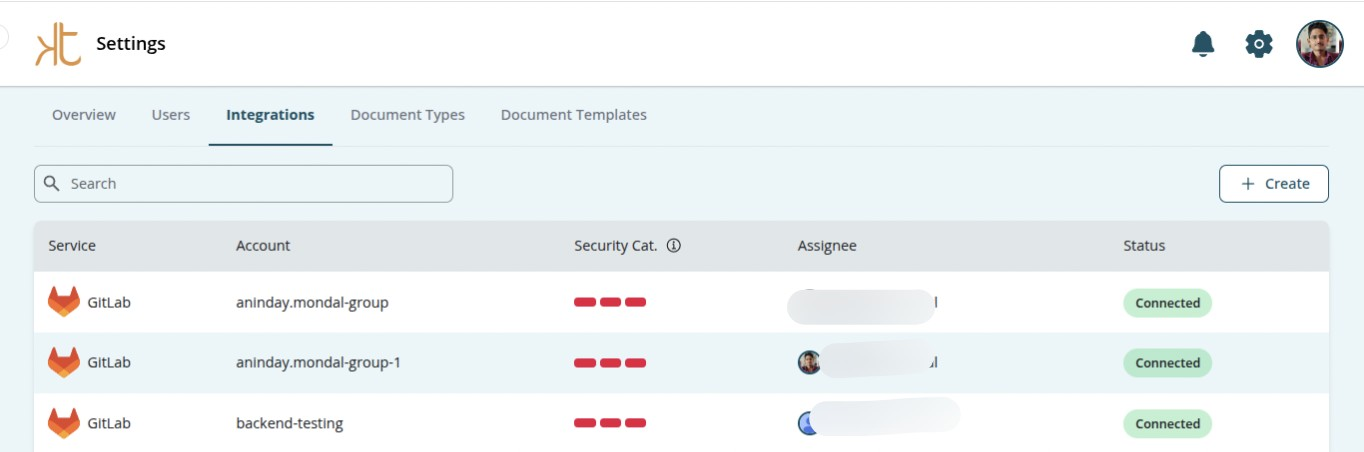
- Click Create.
- Locate Slack from the list of available integrations.
- Click Connect.
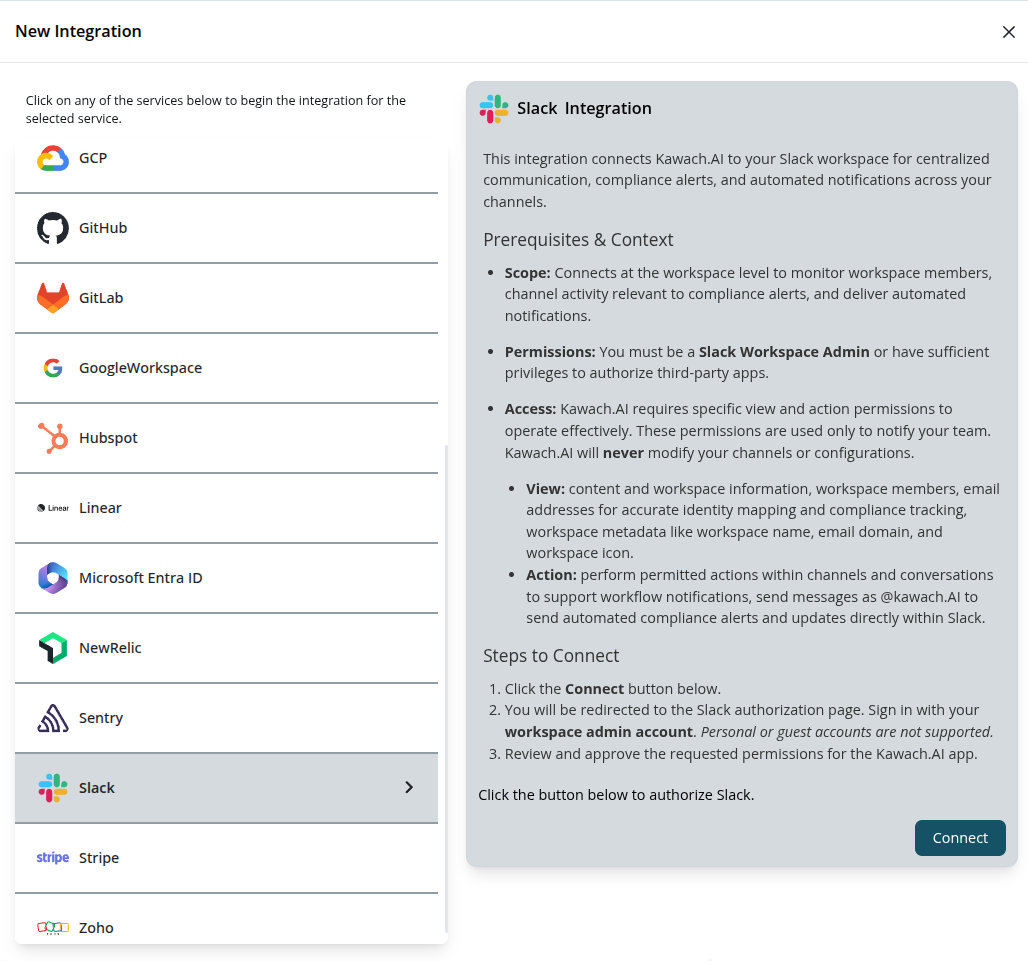
Step 2: Authorize Kawach in Slack
- You will be redirected to the Slack authorization page.
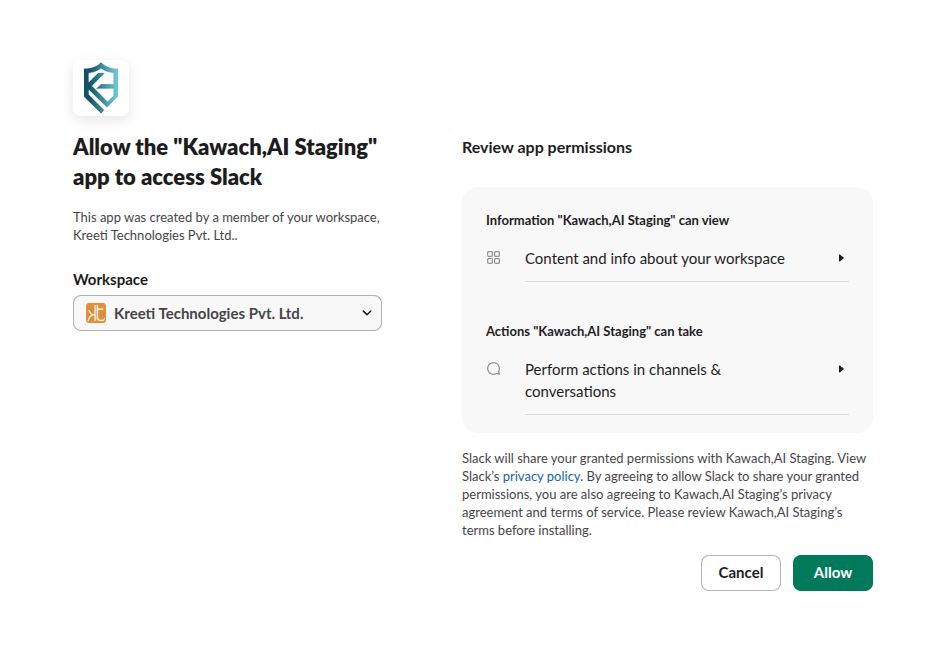
- Click the Allow button.
- It will redirect to the integration page of Kawach and your Slack account is successfully integrated with
Kawach.
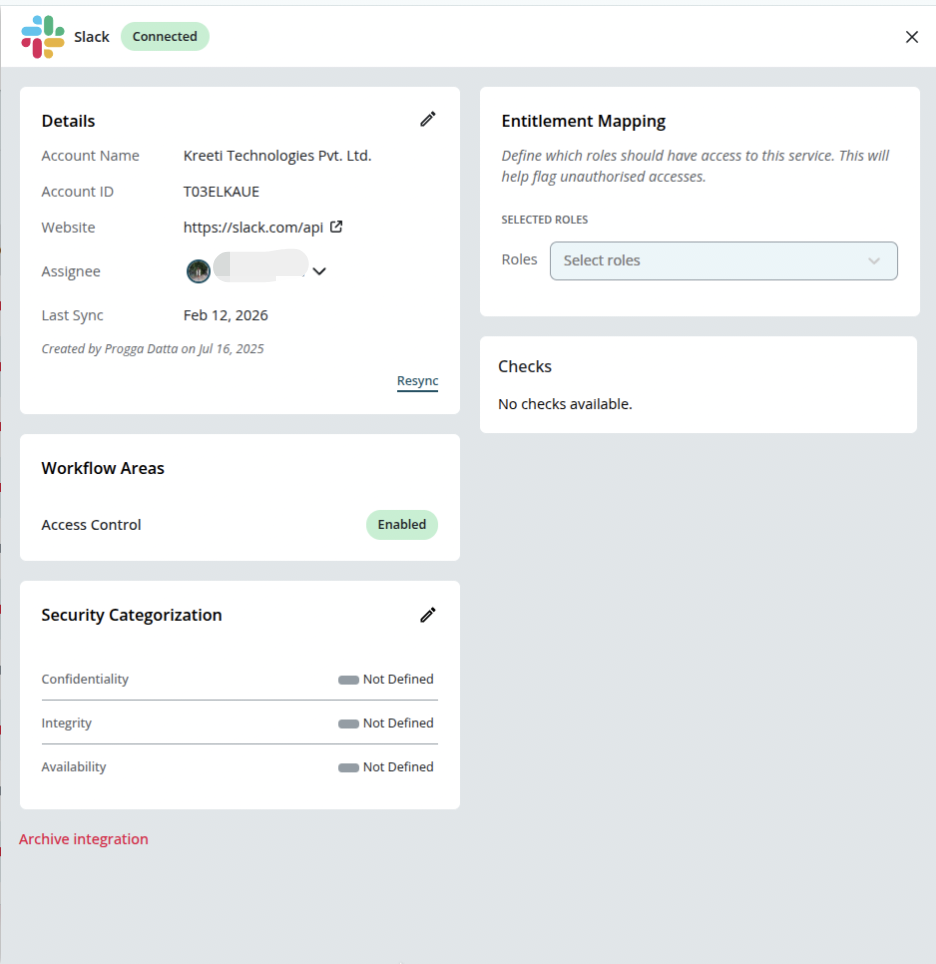
Step 3: Confirm Workspace Connection
After authorization:
- You will be redirected back to Kawach.
- The connected Slack workspace will be confirmed.
Kawach will begin enabling notifications and alerts for the workspace.
After the Integration
Once the integration is complete:
- Compliance alerts and workflow notifications are delivered directly to Slack.
- Teams receive timely updates without switching tools.
- Ownership, risks, and compliance activities stay visible within daily communication channels.
This setup supports continuous compliance by embedding alerts and reminders into everyday team collaboration.
Troubleshooting
-
Authorization failed
Ensure you are logged into the correct Slack workspace and have Workspace Admin permissions.
-
Notifications not received
Verify that the Kawach app is allowed in the workspace and that channels are accessible for notifications.
-
Incorrect workspace connected
Disconnect the integration and repeat the authorization using the intended Slack workspace.