Other Articles
- How to Integrate Kawach with Asana?
- How to Integrate Kawach with Atlassian?
- How to Integrate Kawach with AWS?
- How to Integrate Kawach with GCP?
- How to Integrate Kawach with GitHub?
- How to Integrate Kawach with Google Workspace?
- How to Integrate Kawach with Linear?
- How to Integrate Kawach with Microsoft Entra ID?
- How to Integrate Kawach with Sentry?
- How to Integrate Kawach with Slack?
- How to integrate Kawach with Supabase?
- Why Integrate with Identity and Workspace Tools?
- How to Integrate Kawach with Vercel?

Overview
This article explains how to integrate GitLab with Kawach to enable centralized compliance monitoring across your GitLab environment. Once connected, Kawach can monitor projects and users at the GitLab Group level in read-only mode and surface relevant findings as part of your compliance and risk workflows.
This integration helps ensure that source code management, access controls, and user activity signals are consistently tracked and available for audits, reviews, and internal assessments.
Prerequisites
Before starting the integration, ensure the following:
- Your organization has an active GitLab account.
- The GitLab resources you want to monitor are organized under a GitLab Group.
- You are a Group Owner or have sufficient privileges to authorize third-party applications.
- You have access to your organization’s Kawach account with permissions to manage integrations.
What Kawach Accesses
Once connected, Kawach can:
- Read GitLab group, project, and user information
- Access read-only user profile data via the /user and /users API endpoints
- Read username, full name, and public email information using OpenID Connect
- Monitor access-related signals relevant to compliance and operational risk
Your source code and project configurations remain unchanged during monitoring.
Steps to Integrate GitLab with Kawach
Step 1: Navigate to Integrations in Kawach
- Log in to your Kawach account.
- Go to Settings.
- Select the Integrations tab.
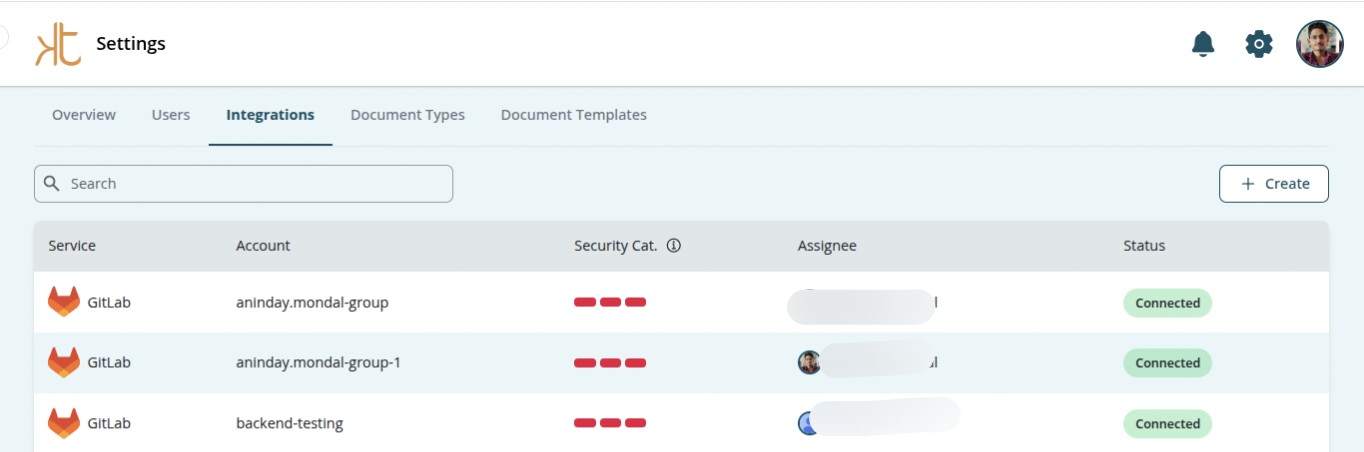
- Click Create.
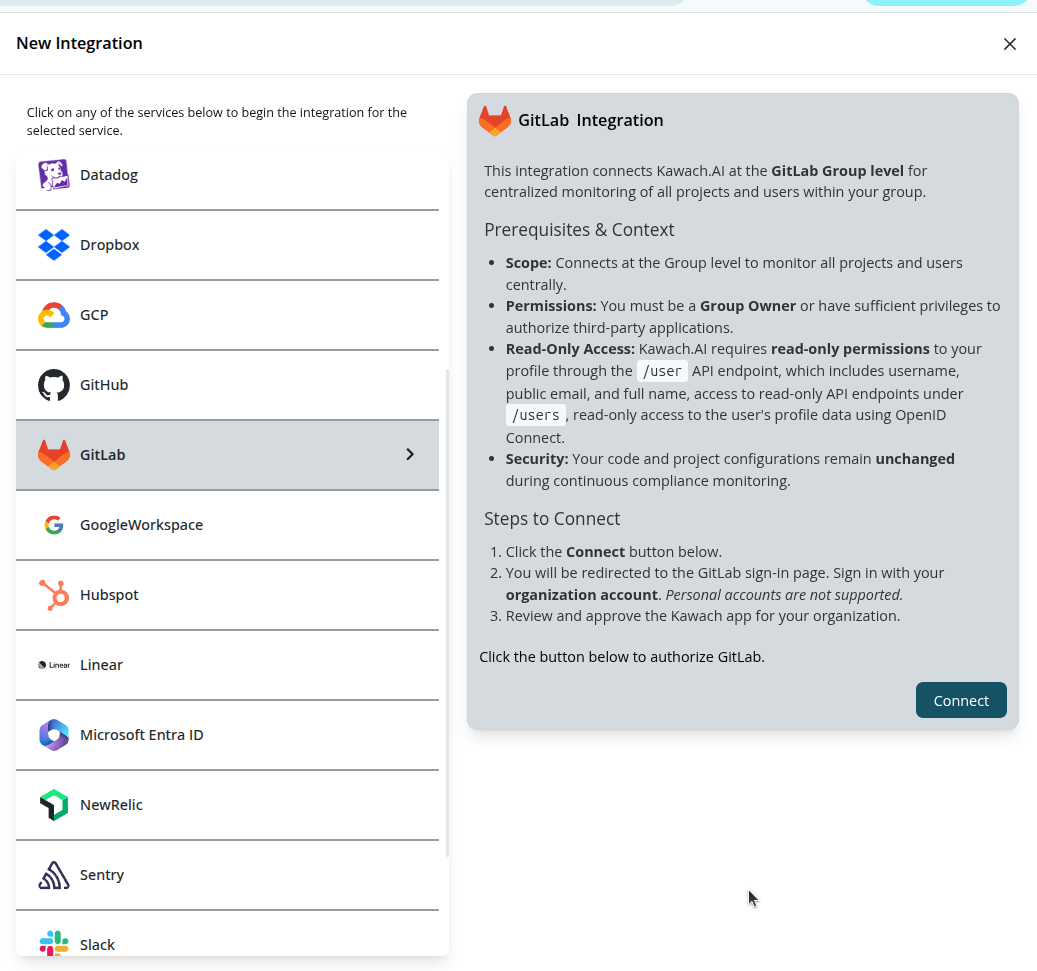
- Locate GitLab from the list of available integrations.
- Click Connect.
Step 2: Authorize Kawach in GitLab
- You will be redirected to the GitLab sign-in page.
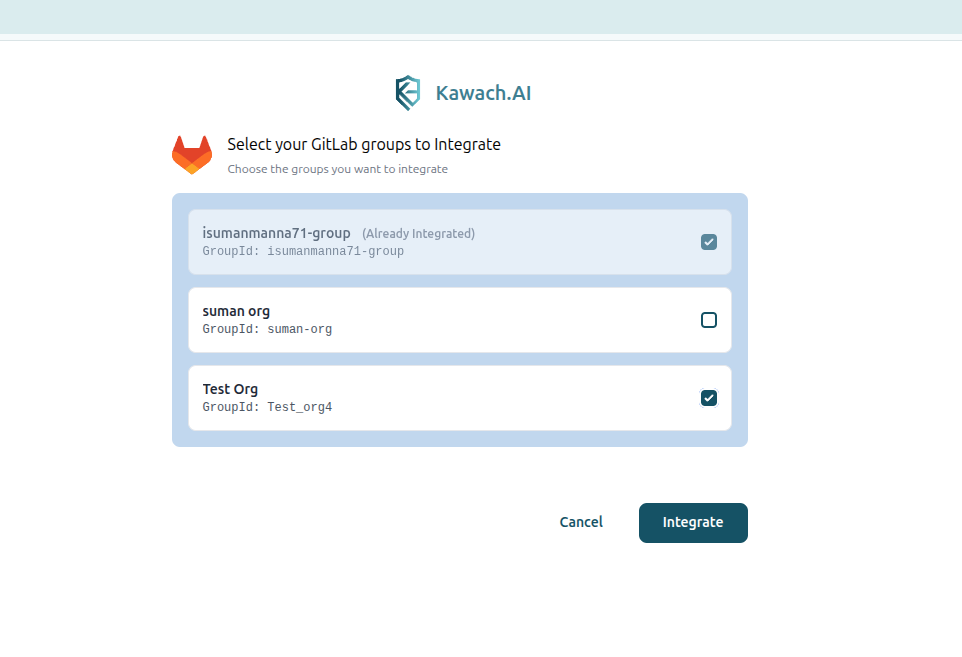
- Click on the Integrate button.
- It will redirect to the integration page of Kawach and your Gitlab account is successfully integrated with
Kawach.
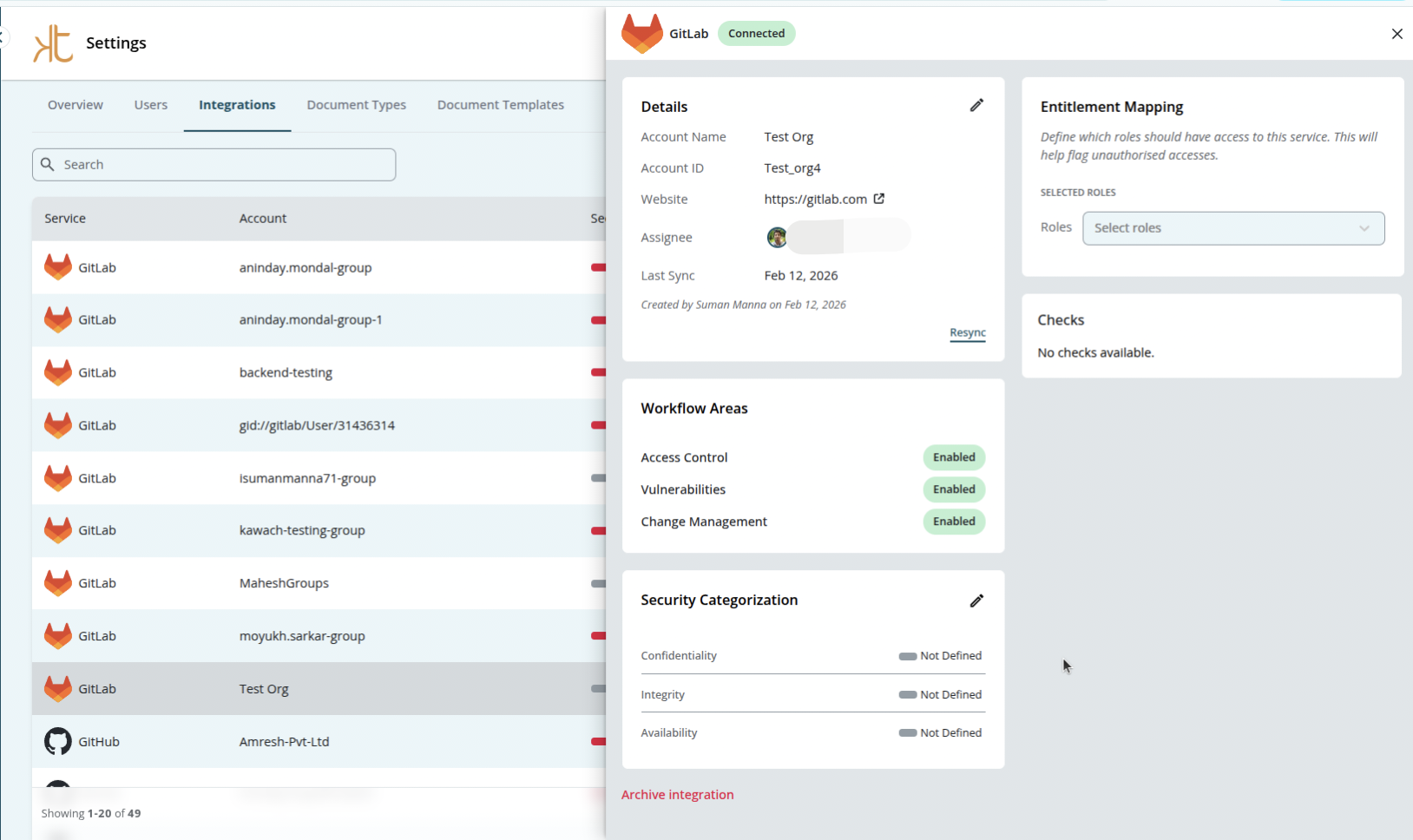
Step 3: Confirm Group Access
After authorization:
- Confirm the GitLab Group you want Kawach to monitor.
- Review the read-only access scope.
- Kawach will begin syncing data for all projects and users within the selected group.
After the Integration
Once the integration is complete:
- GitLab projects and users are continuously monitored within Kawach.
- Relevant findings can be surfaced as part of compliance workflows.
- Teams get centralized visibility across their GitLab environment without switching tools.
This setup supports ongoing compliance by ensuring development and access-related evidence is consistently available.
Troubleshooting
-
Authorization failed
Ensure you are signing in with the correct GitLab organization account and have Group Owner permissions.
-
Projects or users not visible
Verify that the selected GitLab group contains the expected projects and users.
-
Data not syncing
Allow a few minutes after setup. If issues persist, try reconnecting the integration.