Other Articles
- Getting Started with the Organization Setup
- How to add employee details step by step?
- Getting Started with Policies
- Getting Started with Trainings
- Getting Started with Vendor Management
- Pentest Flow – Adding and Managing Penetration Test Findings
- Controls Module – Step-by-Step User Guide
- Privacy and Data Governance: A Comprehensive Guide for Modern Organizations
- Guide to Hiring Assessment: Referral-Based and Standard Hiring
- Guide to Background Verification: Referral-Based and Standard Hiring
The Risk Module enables organizations to systematically identify, assess, treat, monitor, and review risks in a structured and controlled manner. It supports the complete risk management lifecycle — from risk creation to approval — while ensuring visibility, accountability, and governance.
By using this module, organizations can:
- Maintain a centralized risk repository
- Standardize risk assessment methodology
- Assign clear ownership and accountability
- Apply appropriate treatment strategies
- Monitor residual exposure
- Maintain review workflows for audit and compliance purposes
The module is divided into three primary sections:
- Overview
- Register
- Reviews
1. Overview
The Overview section provides a centralized dashboard summarizing the organization’s overall risk posture. It is designed for leadership, risk managers, and stakeholders who require a high-level understanding of current exposure and risk trends.
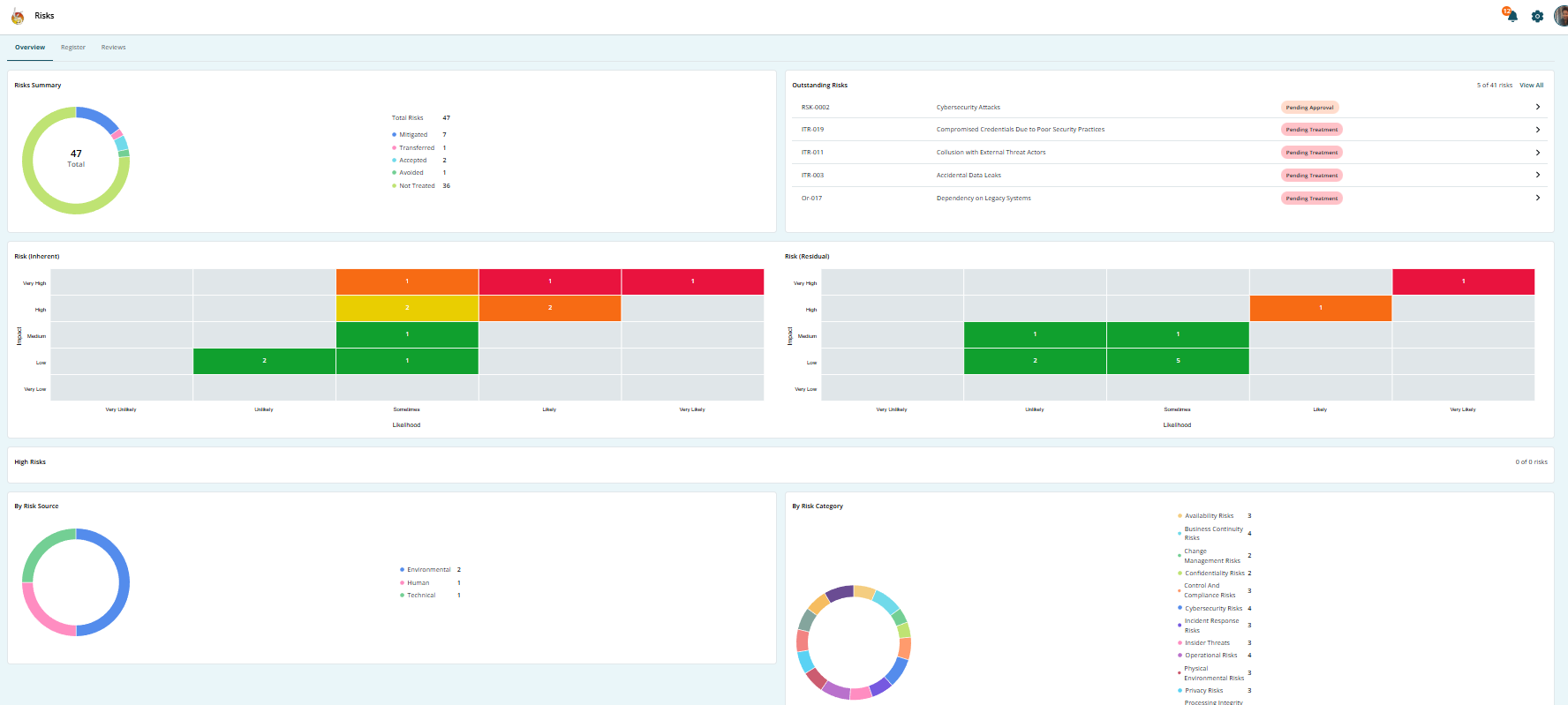
Key Elements of the Overview Section
-
Total Risk Summary
Displays the total number of risks recorded within the organization. -
Inherent Risk Visualization
Shows the risk level before any controls or mitigation measures are applied. -
Residual Risk Visualization
Displays the remaining risk level after treatment or control implementation. -
Risk Categorization
Breakdown of risks by:
- Risk Category (e.g., Operational, Financial, Compliance, Strategic)
- Risk Source (Internal or External)
-
Status Monitoring
Highlights risks that are:
- Pending treatment
- Pending review
- Awaiting approval
- Completed
This section enables management to quickly identify high-risk areas and prioritize action based on severity and exposure.
2. Register
The Register is the operational core of the Risk Module. It serves as the centralized repository where risks are created, assessed, documented, and tracked throughout their lifecycle.
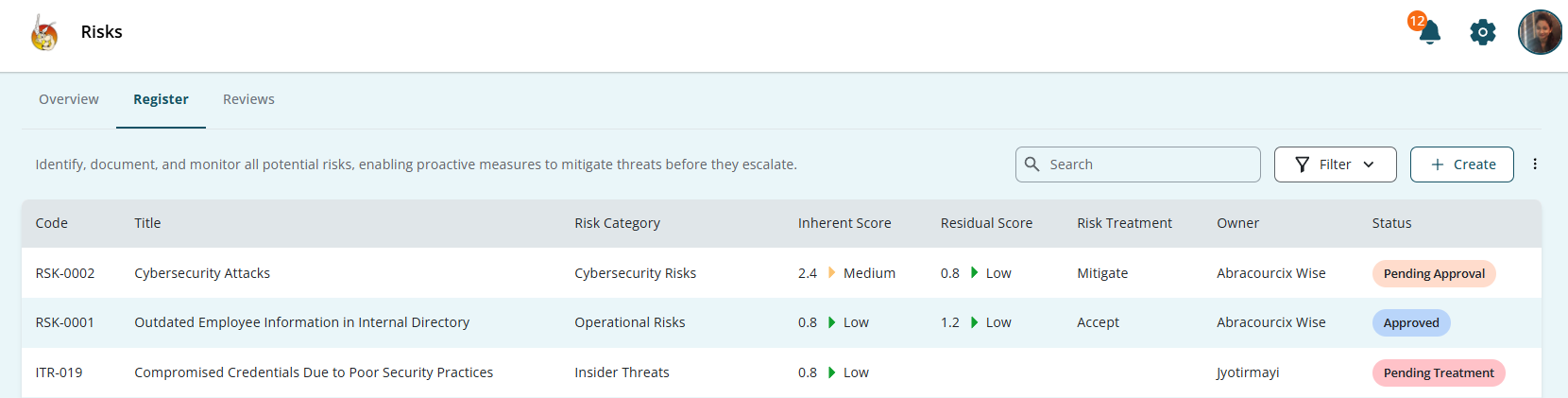
Purpose of the Register
The Register allows users to:
- Record newly identified risks
- Capture detailed risk information
- Assess risk severity
- Assign ownership and accountability
- Define risk treatment strategies
- Track progress and lifecycle status
- Maintain historical records for audit reference
Each risk entered into the system becomes part of the organization’s official risk inventory.
Creating a Risk
Users can add risks using one of the following methods:
- Manual risk creation
- Bulk risk import
- Selection from predefined risk templates
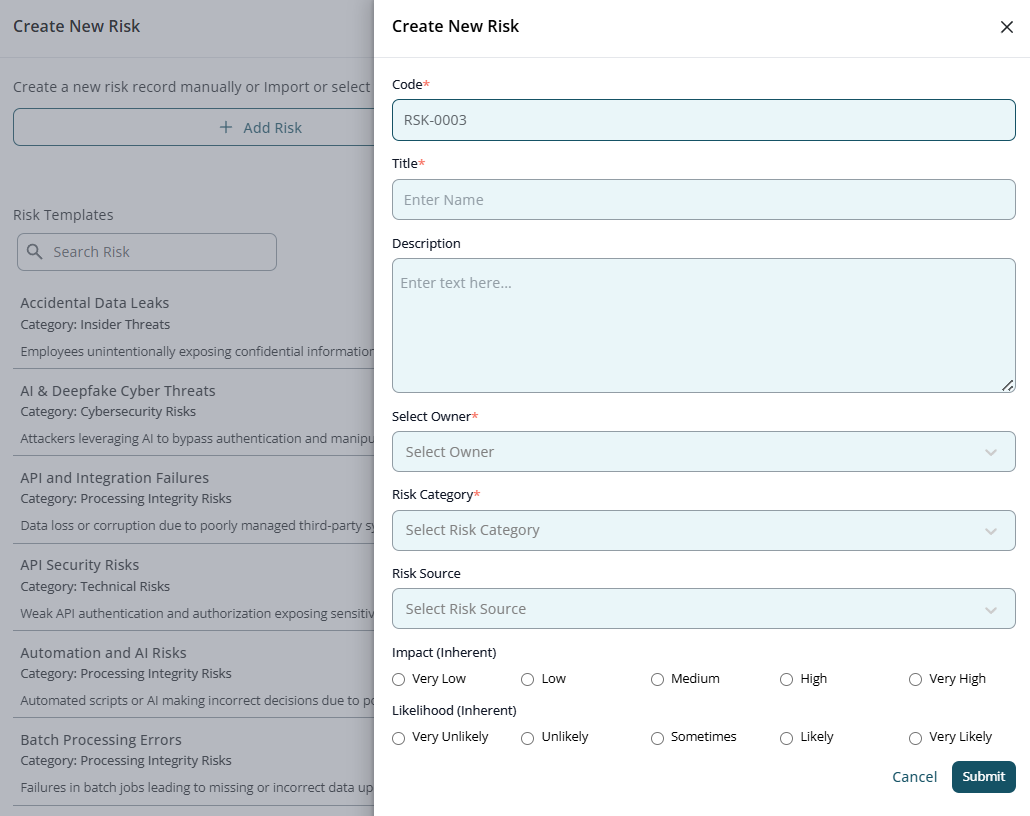
Steps to Add a New Risk
-
Enter a unique Risk Code
This ensures proper identification and traceability.
-
Add a clear and descriptive Risk Title
The title should briefly summarize the nature of the risk.
-
Provide a detailed Description
Explain the risk scenario, potential impact, and contributing factors.
-
Assign a Risk Owner
The Risk Owner is responsible for monitoring and managing the risk.
-
Select the appropriate Risk Category
Categorization helps in reporting and analysis.
-
Select the Risk Source
Identify whether the risk originates internally or externally.
-
Define the Inherent Impact
Assess the severity of consequences if the risk materializes.
-
Define the Inherent Likelihood
Assess the probability of occurrence.
- Submit the risk
Once submitted, the system calculates the inherent risk rating and displays it in the Register.
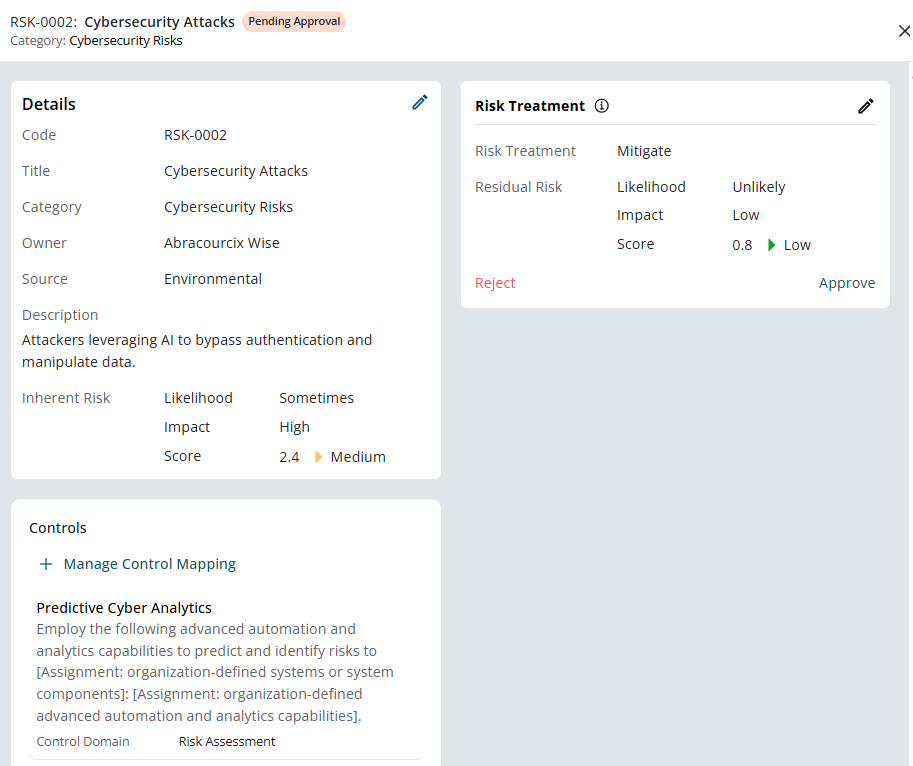
Risk Treatment
After risk identification and assessment, each risk must be assigned a treatment approach. This determines how the organization intends to manage the exposure.
Treatment Options
- Mitigate – Implement controls to reduce impact and/or likelihood.
- Accept – Acknowledge the risk without additional controls when exposure is within acceptable tolerance levels.
- Transfer – Shift risk responsibility to a third party (e.g., insurance, outsourcing).
- Avoid – Eliminate the activity that causes the risk.
Residual Risk
After applying the chosen treatment strategy, the system recalculates the Residual Risk. This represents the remaining level of exposure after controls are implemented.
Residual risk helps organizations determine whether additional controls are required.
3. Reviews
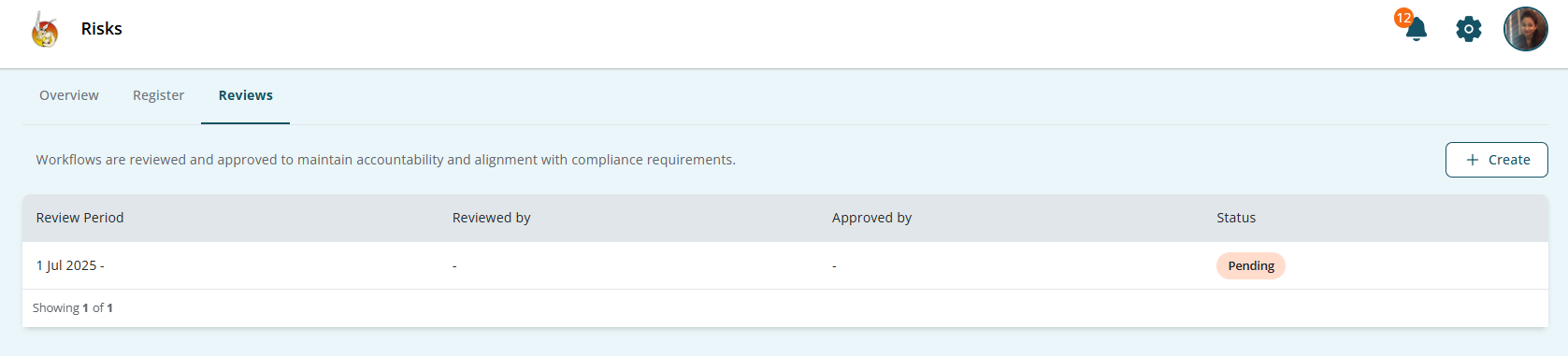
The Reviews section introduces governance and approval workflows. It ensures that risk assessments and treatment decisions are formally validated and documented.
This section is essential for maintaining compliance and audit readiness.
Purpose of Reviews
The Reviews section allows organizations to:
- Assign independent reviewers
- Assign approvers
- Ensure validation of risk assessments
- Maintain documented evidence of review
- Track workflow status
- Support audit and compliance requirements
Reviews introduce accountability and reduce the risk of unchecked or improperly assessed risks.
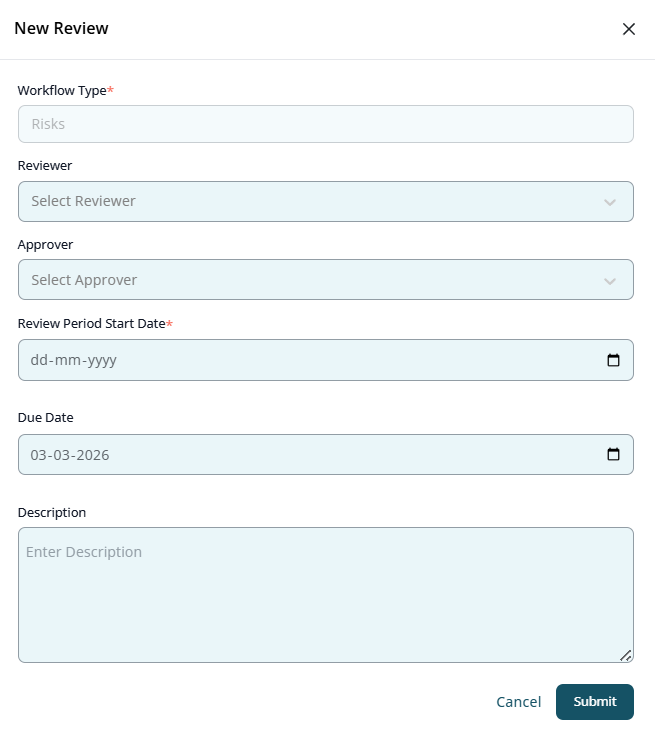
Creating a Review Workflow
To initiate a review process:
- Select Workflow Type → Risks
- Assign a Reviewer
- Assign an Approver
- Define the Review Period
- Add a Description explaining the review scope
- Submit the workflow
Review Status Tracking
Each review workflow will display its current status:
- Pending
- Under Review
- Approved
- Rejected
- Completed
This ensures transparency and traceability throughout the governance process.
Complete Risk Management Flow
The end-to-end risk management process within the module follows this structured sequence:
- Risk identification and creation in the Register
- Inherent risk assessment (impact and likelihood)
- Assignment of risk owner
- Selection and implementation of treatment strategy
- Calculation of residual risk
- Initiation of review workflow
- Reviewer validation and approver authorization
- Continuous monitoring through the Overview dashboard
This lifecycle ensures risks are not only documented but actively managed and governed.
Best Practices for Using the Risk Module
- Ensure all risks have clearly defined owners.
- Avoid vague risk descriptions; be specific and measurable.
- Regularly review high and critical risks.
- Monitor residual risk to ensure it remains within tolerance levels.
- Use review workflows consistently for audit evidence.
- Periodically reassess risks as business conditions change.
Conclusion
By using:
- The Register for risk documentation and tracking
- The Treatment framework for managing exposure
- The Reviews section for validation and approval
- The Overview dashboard for monitoring and reporting
Organizations can maintain risk transparency, enforce accountability, and ensure ongoing compliance readiness.