Other Articles
- Getting Started with the Organization Setup
- How to add employee details step by step?
- Getting Started with Policies
- Getting Started with Trainings
- Getting Started with Vendor Management
- Risk Module – User Help Guide
- Pentest Flow – Adding and Managing Penetration Test Findings
- Privacy and Data Governance: A Comprehensive Guide for Modern Organizations
- Guide to Hiring Assessment: Referral-Based and Standard Hiring
- Guide to Background Verification: Referral-Based and Standard Hiring
The Controls section under the Compliance Module is where risk management becomes actionable. While the Risk Module identifies and evaluates risks, the Controls Module ensures those risks are mitigated through structured safeguards.
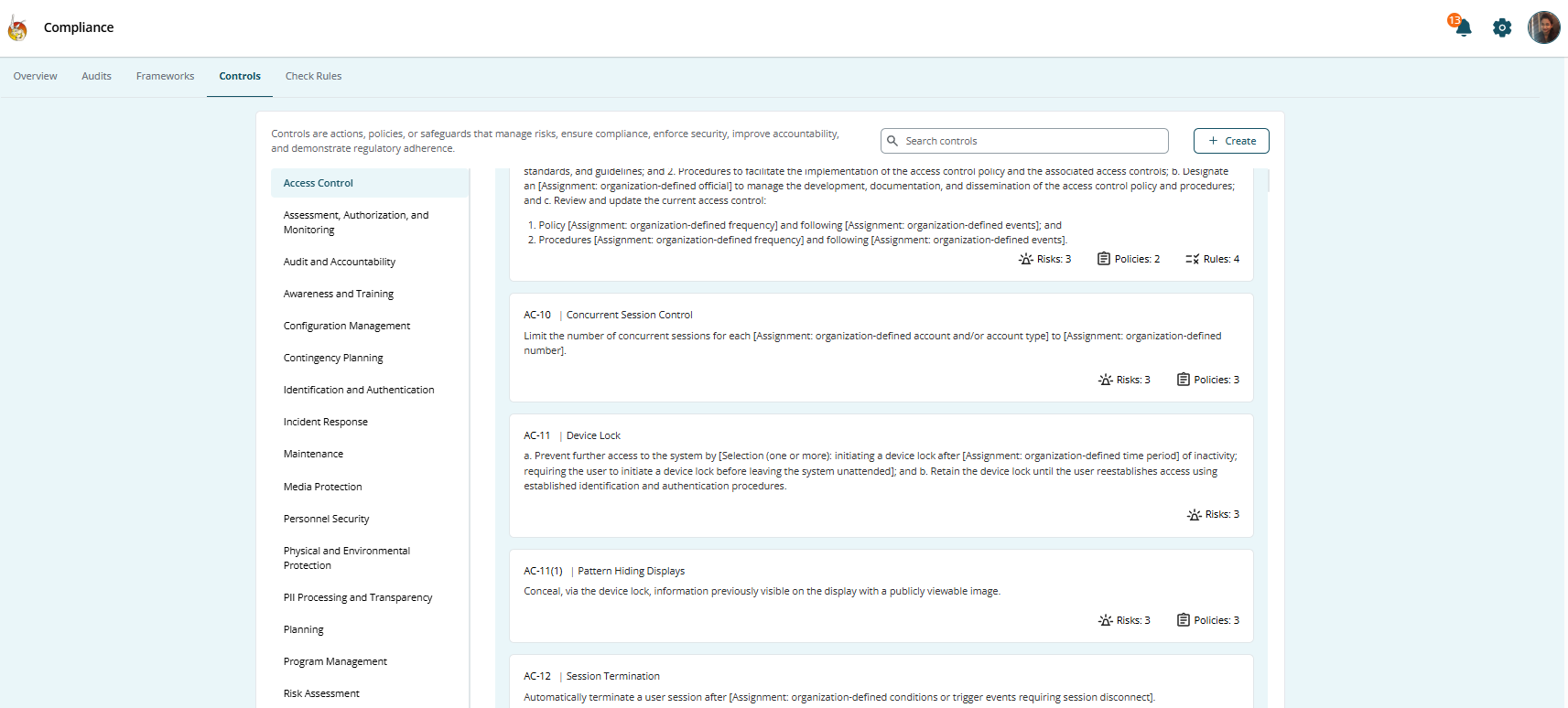
Controls represent the practical actions your organization takes to reduce risk exposure. These may include:
- Policies
- Procedures
- Technical safeguards
- Administrative processes
- Monitoring mechanisms
This guide explains how to design, implement, and manage controls effectively within Kawach.
Step 1: Identify Risks
Controls always begin with risks.
Start by reviewing risks documented in the Risk Module:
- Understand the nature of the risk
- Evaluate its likelihood and impact
- Confirm whether mitigation is required
- Identify risk owners and affected departments
Not every risk requires a new control. Some risks may already be covered by existing safeguards.
A clear understanding of risk ensures controls are meaningful and not redundant.
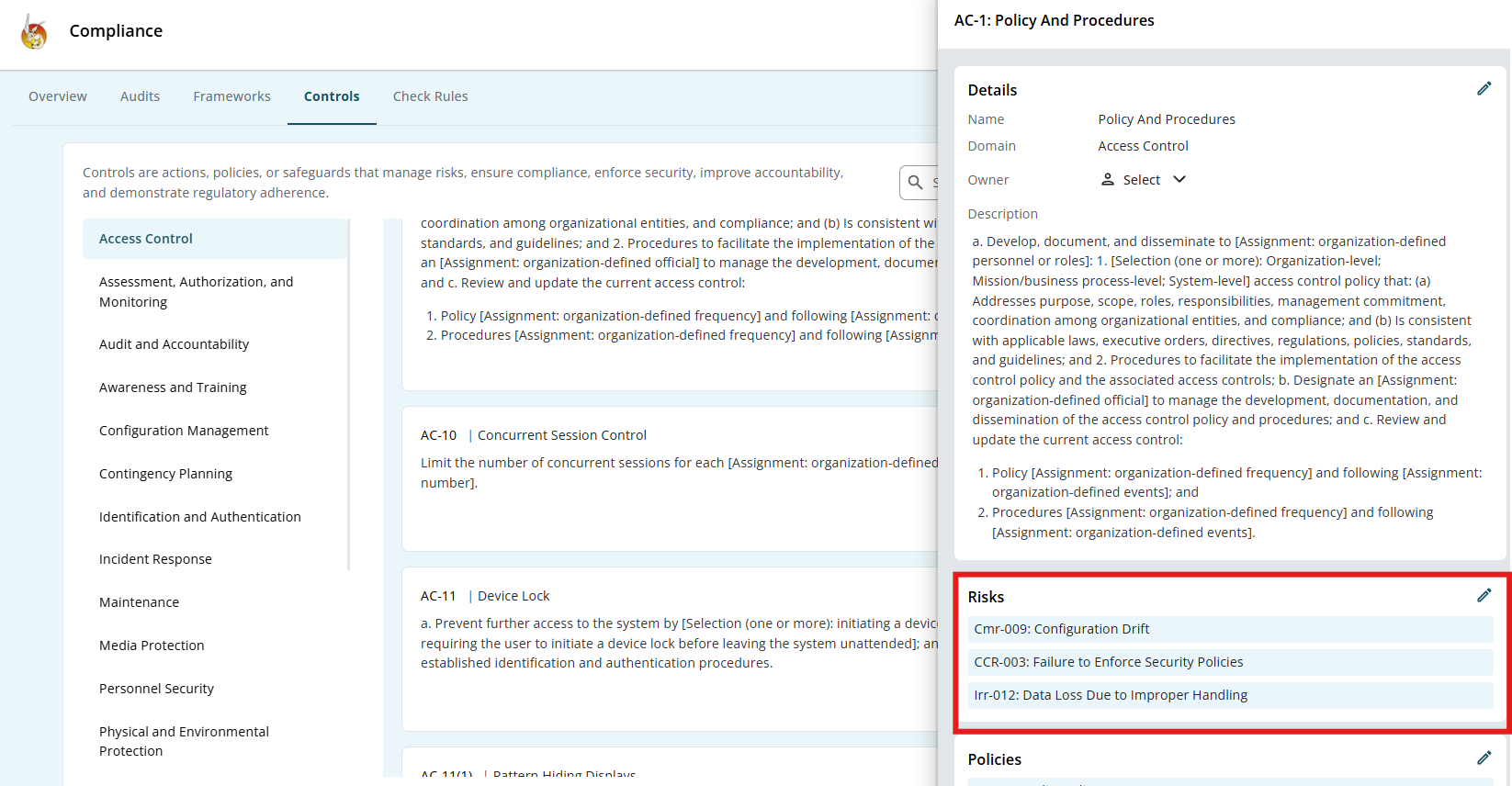
Step 2: Refer to Framework-Recommended Controls
Many compliance frameworks recommend standard controls.
Examples include:
- Access control requirements
- Data protection safeguards
- Incident response procedures
- Vendor security reviews
In Kawach, you can:
- Review framework-suggested controls
- Use them as guidance
- Customize them to suit your operational model
These controls are not mandatory templates. You have the flexibility to adapt them based on:
- Organizational size
- Industry requirements
- Risk appetite
- Regulatory obligations
This ensures practical and realistic compliance.
Customization Considerations
- Organizational size and complexity
- Industry requirements
- Risk appetite
- Regulatory obligations
This ensures practical and realistic compliance.
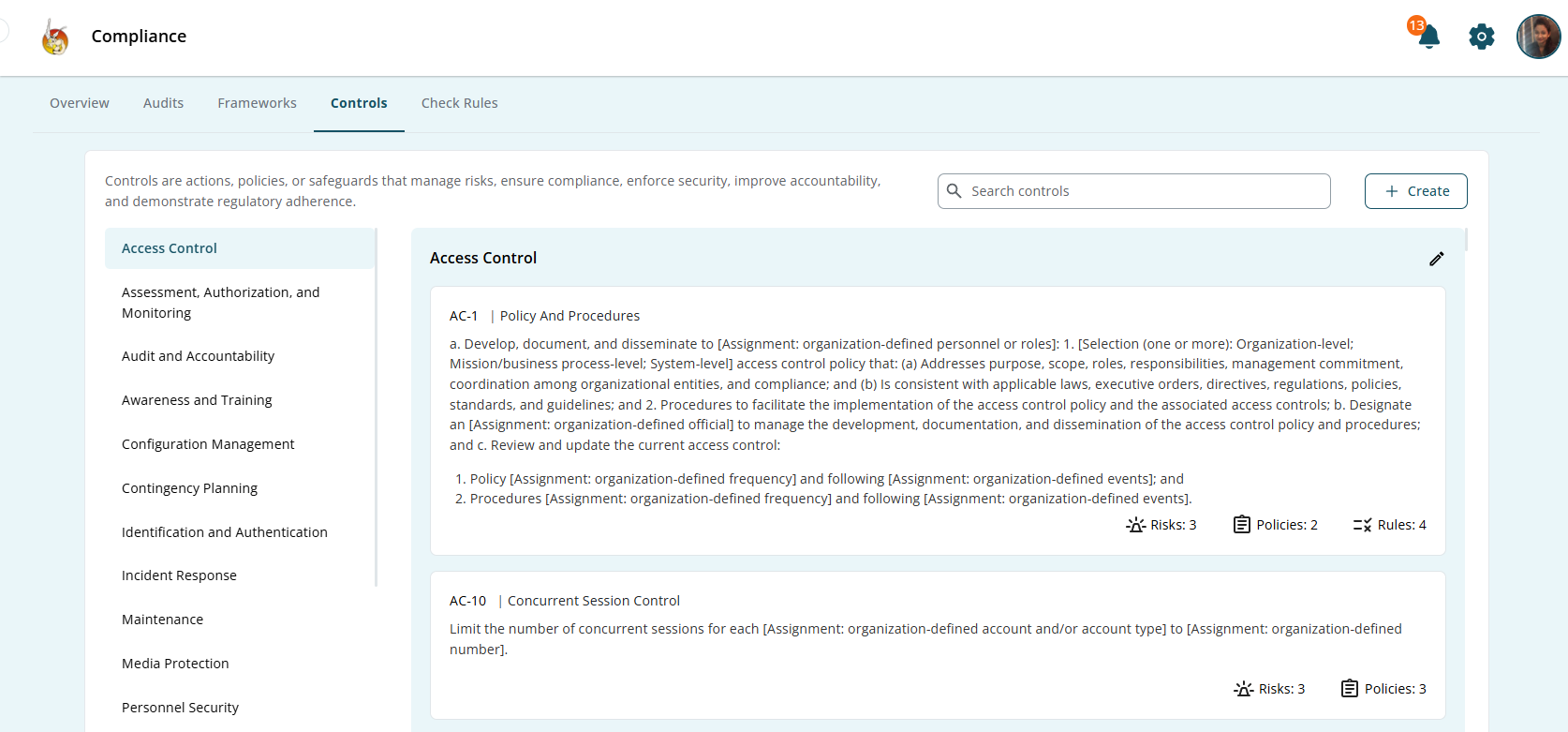
Step 3: Create or Configure a Control in Kawach
Once risks are identified and reference guidance is reviewed, create a control.
To create a control:
- Navigate to the Controls section.
- Click Create Control (or an equivalent option).
Define the following:
-
Control Name
A clear, concise title.
Example: "Multi-Factor Authentication for Administrative Access"
-
Control Objective
State what the control aims to achieve.
Example: "To prevent unauthorized access to critical systems by enforcing multi-factor authentication."
-
Control Description
Explain
- How the control works
- What processes are involved
- Which teams are responsible
- What systems are covered
A strong description ensures clarity during audits and reviews.
-
Risk Linkage
Link the control to the specific risk(s) it mitigates.
This establishes traceability between risk and mitigation.
Each control should be:
- Clear
- Measurable
- Actionable
- Relevant
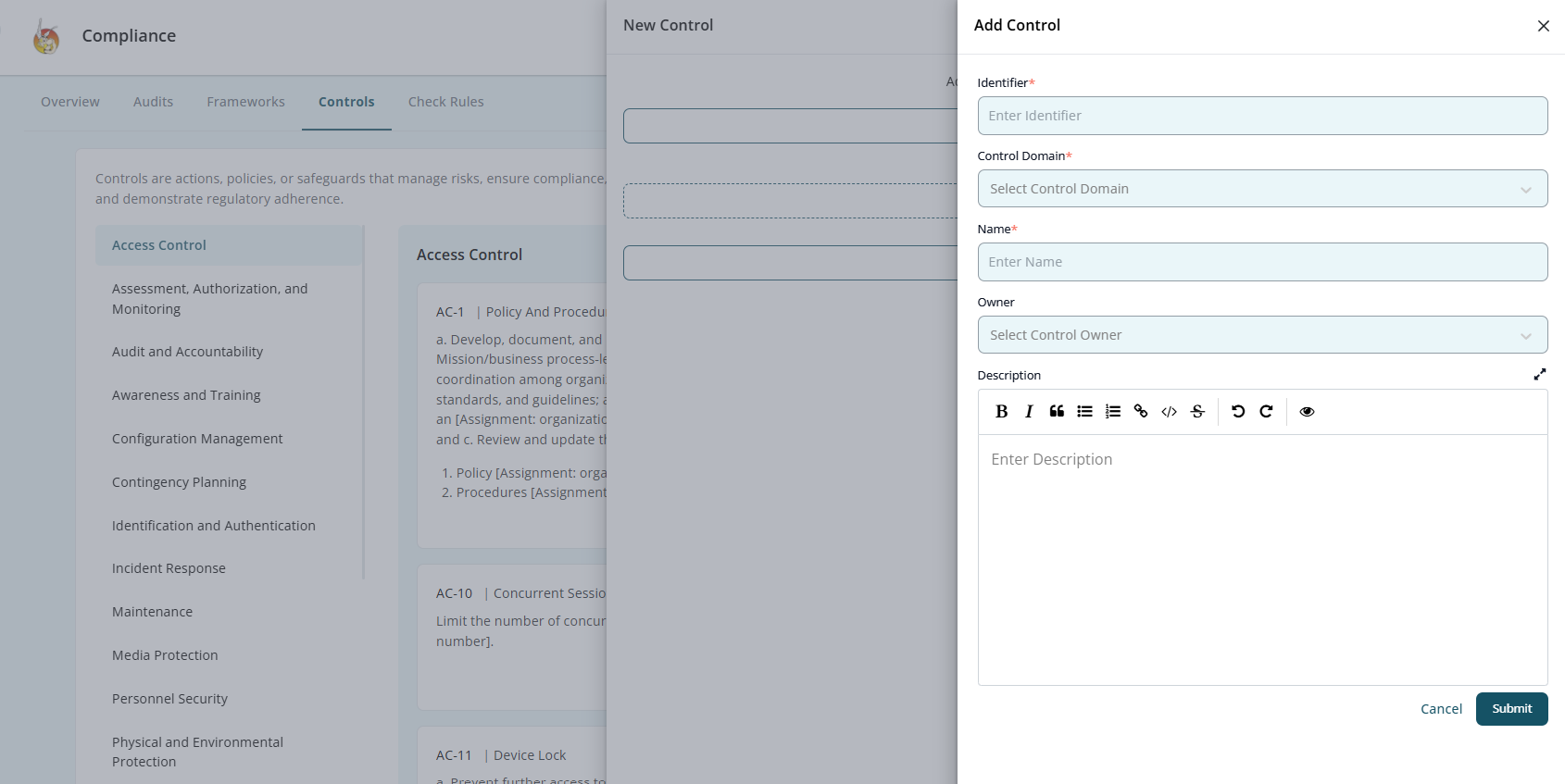
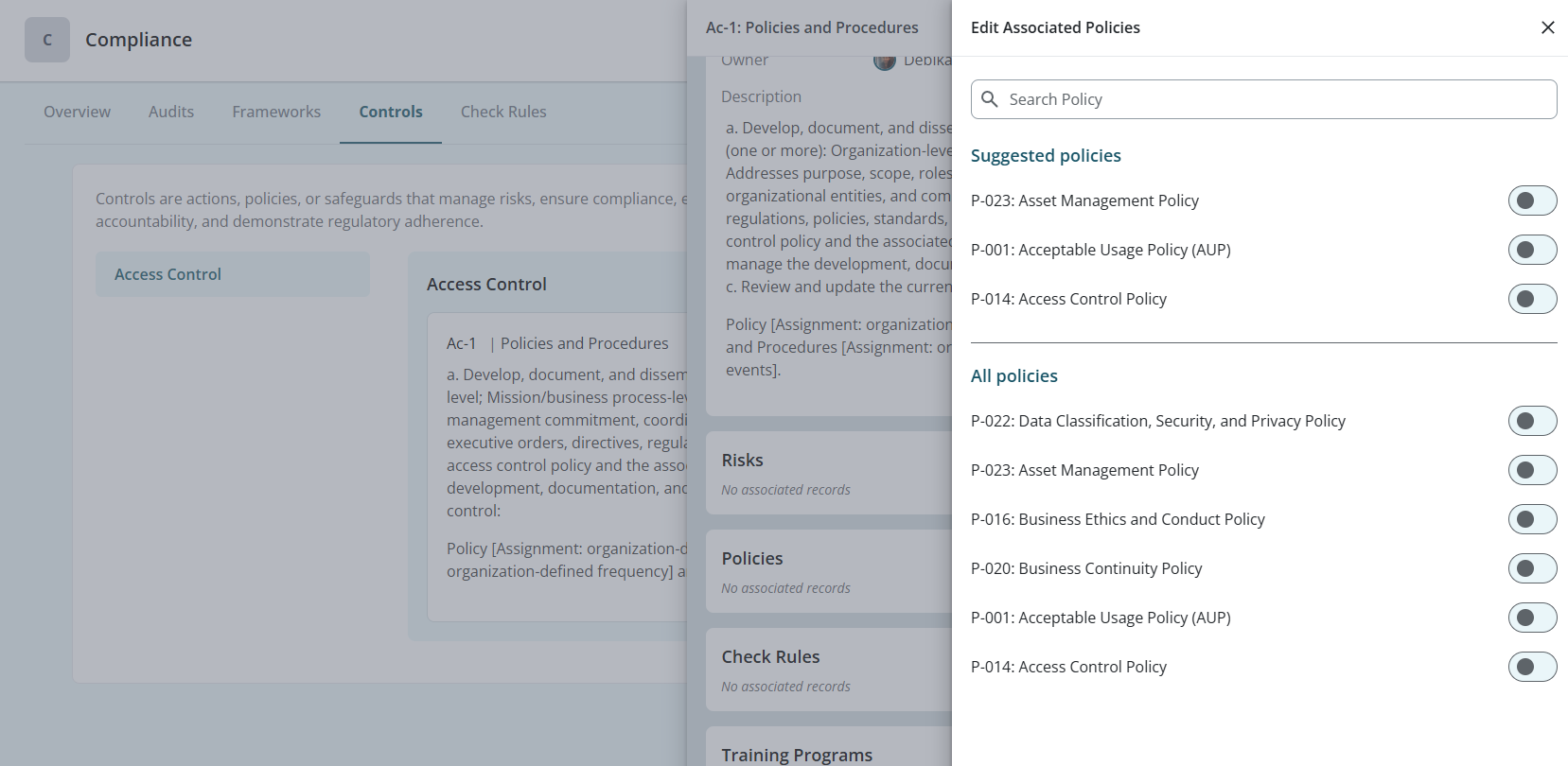
Step 4: Link a Policy to the Control
Controls must be supported by documented policies.
You can:
- Attach an existing policy
- Create a new policy directly under the control
OR
Policies define:
- Rules and expectations
- Roles and responsibilities
- Enforcement guidelines
- Review frequency
This ensures that controls are not informal practices but documented governance measures.
Step 5: Assign Control Ownership
Every control must have a clearly defined owner.
Assign a responsible individual (or department) who will:
- Ensure proper implementation
- Maintain the control
- Update documentation when required
- Monitor effectiveness
Ownership creates accountability and prevents controls from becoming inactive or outdated.
Clear ownership is critical during audits.
Step 6: Implement the Control
After configuration, the control must be operationalized.
Implementation includes:
- Communicating policies to relevant stakeholders
- Applying technical safeguards (e.g., enabling MFA)
- Establishing procedures
- Training employees if necessary
- Integrating into workflows
Implementation ensures the control exists not only in documentation but also in practice.
Step 7: Monitor Control Effectiveness
Controls must be reviewed regularly to ensure they remain effective.
Monitoring may include:
- Periodic internal reviews
- Compliance checks
- KPI measurement
- Incident trend analysis
- Evidence collection
Ask the following:
- Is the control functioning as intended?
- Has the related risk level changed?
- Are updates required due to new regulations?
If gaps are identified, update the control or linked policy accordingly.
Continuous monitoring ensures long-term resilience.
Step 8: Review and Prepare for Audit
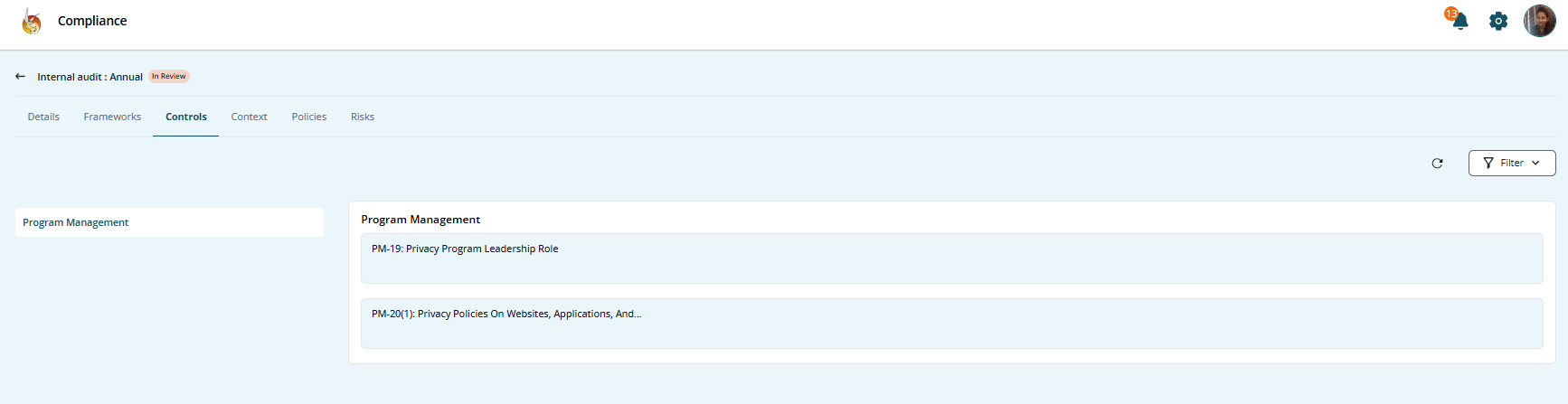
Controls are essential for audit readiness.
During Compliance Reviews:
- Demonstrate control documentation.
- Show linked risks.
- Provide evidence of implementation.
- Present review history.
- Confirm ownership and updates.
Kawach maintains traceable logs for:
- Control creation
- Policy linkage
- Ownership assignments
- Status changes
- Review updates
This simplifies internal and external audit processes.
Control Lifecycle Summary
- Identify risk
- Review framework guidance
- Create or configure control
- Link supporting policy
- Assign ownership
- Implement operationally
- Monitor effectiveness
- Maintain audit evidence
Outcome
By following this structured process, organizations can:
- Translate risks into measurable actions
- Maintain consistent policy enforcement
- Strengthen governance
- Improve operational accountability
- Demonstrate regulatory compliance
- Stay audit-ready at all times
Conclusion
The Controls Module ensures that once risks are identified, they are addressed through structured, well-documented, and owned actions.
It bridges the gap between risk identification and real-world mitigation — transforming compliance from a checklist exercise into a living, accountable governance framework.