Other Articles
Getting Started with Policies
Support > Policies
11 February, 2026
Kawach provides a centralized platform to manage organizational policies, control documents, acknowledgements, and review cycles in a structured and audit-ready manner.
This module ensures policies are:
- Properly drafted
- Reviewed and approved
- Acknowledged by employees
- Periodically reviewed
- Version controlled
Below is a stepwise guide to get started.
1. Overview
The Overview section provides a centralized snapshot of your policy management activities. It acts as a dashboard where HR, compliance teams, and leadership can quickly monitor policy status and engagement levels.
This section improves visibility, transparency, and accountability across the organization.
Key Features of the Overview Section
🔹 Acknowledgement Report
This shows the status of employee acknowledgements for published policies.
You can track:
- Who has acknowledged the policy
- Who has not yet acknowledged
- Percentage completion
- Overdue acknowledgements
This is especially useful during audits to demonstrate employee awareness and policy communication.
🔹 Draft Policies
Displays all policies that are currently in draft mode.
- Continue editing
- Review incomplete drafts
- Prepare policies before publishing
- Collaborate internally before approval
Draft control prevents premature release of unapproved documents.
🔹 Recent Activities
Provides a real-time activity log of actions performed within the policy module.
Examples include:
- Policy creation
- Edits and updates
- Submissions for approval
- Approvals or rejections
- Acknowledgement completions
This ensures traceability and strengthens audit trails.
🔹 Awaiting Approval
Shows policies that are pending approval from designated reviewers or compliance heads.
This helps:
- Prevent bottlenecks
- Ensure timely approvals
- Maintain version control
- Track accountability of approvers
Why the Overview Section Matters
From an operational perspective, it:
- Simplifies policy tracking
- Reduces manual follow-ups
- Improves transparency
- Speeds up approval cycles
From a compliance perspective, it supports:
- ISO 27001 (Documented Information Control)
- ISO 9001 (Document Control Requirements)
- SOC 2 (Policy Communication and Governance)
It demonstrates structured policy lifecycle management and leadership oversight.
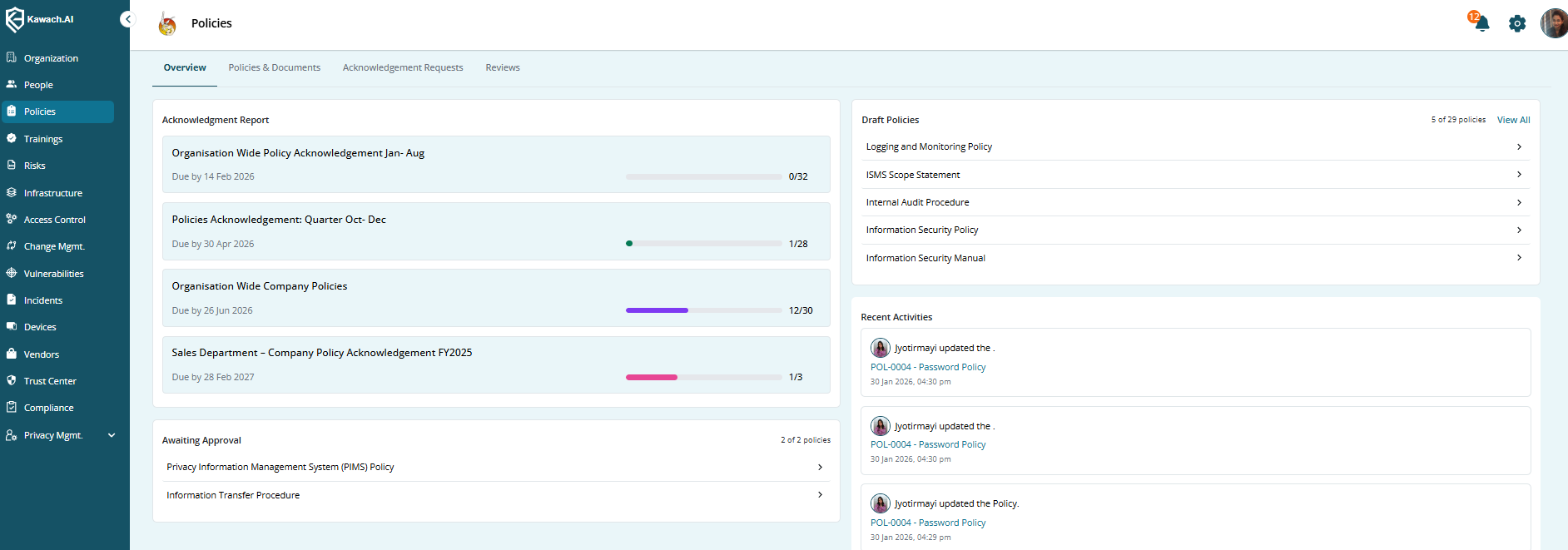
This section ensures you stay informed about ongoing policy-related activities and approvals.
2. Policies and Documents
The Policies and Documents section in Kawach is the central repository for managing all organizational policies. It allows teams to create, edit, review, publish, and maintain policies in a controlled and structured manner.
This module ensures:
- Proper document control
- Version management
- Approval tracking
- Audit readiness
- Centralized access
It supports compliance frameworks such as ISO 27001, ISO 9001, and SOC 2 by maintaining documented information in a structured format.
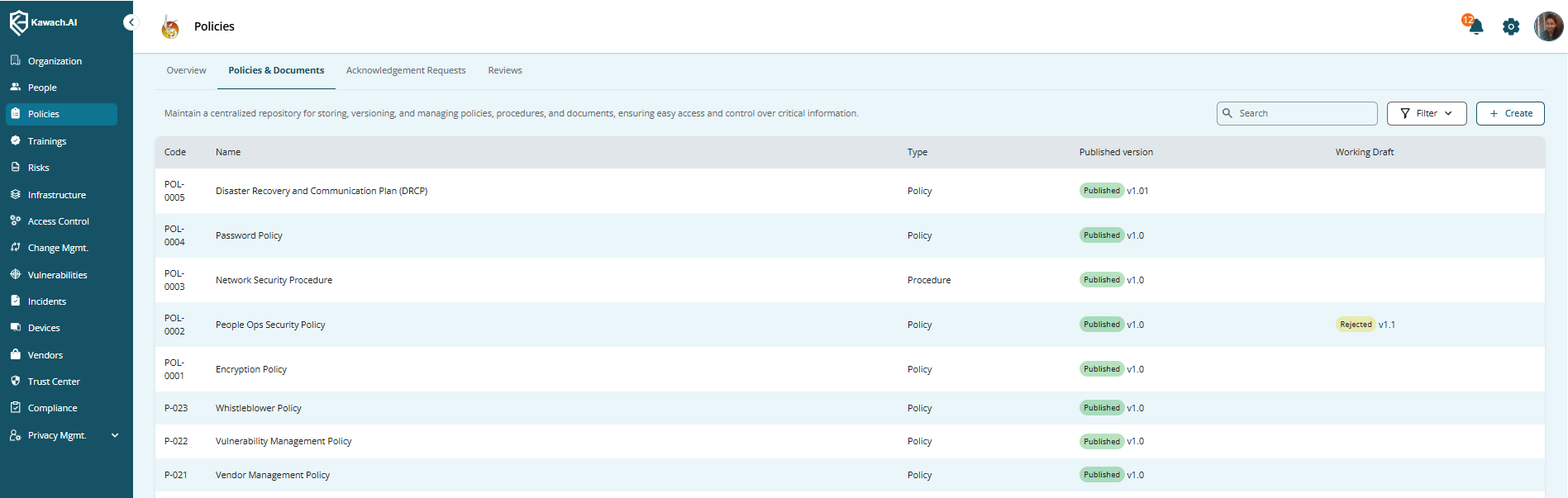
Policies and Documents table showing existing policies.
Displayed Fields
Each policy record typically includes the following fields:
-
Code
A unique identifier assigned to each policy for tracking and reference.
-
Name
The official title of the policy.
-
Type
The category under which the policy falls (e.g., Information Security, HR, IT, Compliance).
-
Published Version
The currently approved and active version available to employees.
-
Working Draft
The version currently being edited or prepared for the next release.
This structured view allows teams to quickly identify policy status and version history.
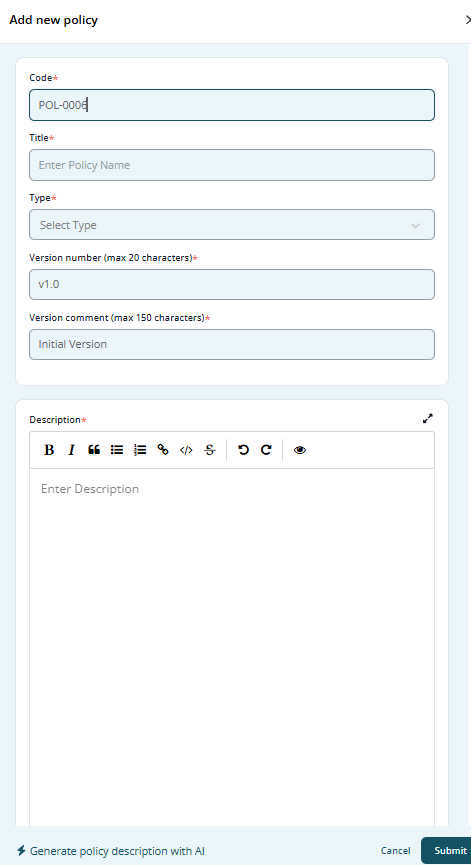
Create New Policy form with all fields filled in.
Conclusion
By following these steps, you can efficiently manage policies, track acknowledgements, and conduct reviews in Kawach, ensuring compliance and streamlined policy governance. Adding screenshots at each step makes the guide more intuitive and easy to follow.