Other Articles
GitHub Users – Enable Multi-Factor Authentication (MFA)
Secure Configuration Checks > Github
This check ensures that Multi-Factor Authentication (MFA) is enabled for GitHub users. Enabling MFA strengthens access control and protects accounts from unauthorized access caused by compromised credentials.
Check Details
- Resource: GitHub User
- Check: Ensure MFA is enabled
- Risk: Unauthorized account access leading to code tampering or data exposure
Remediation via GitHub UI
-
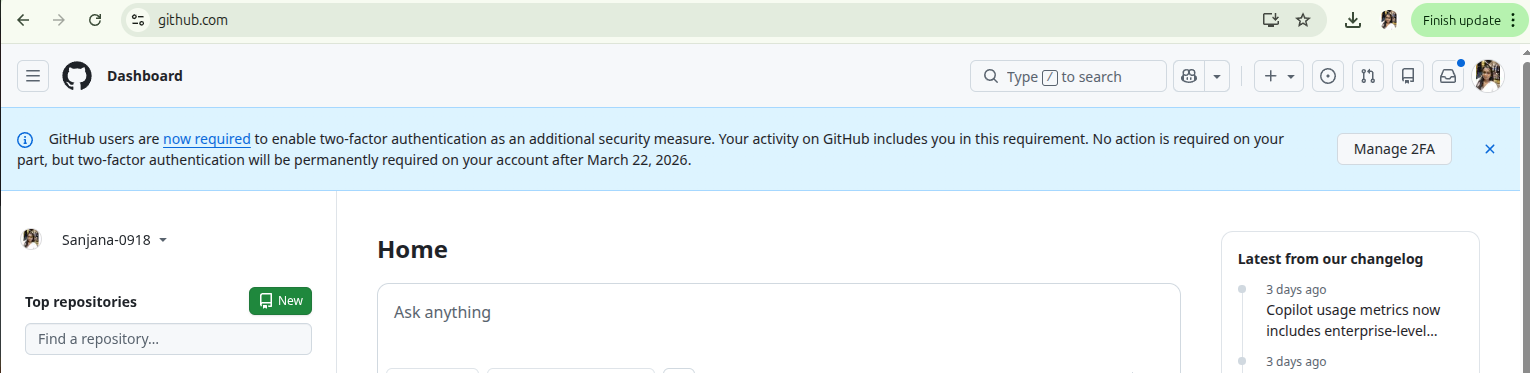
Log in to your GitHub account.
-
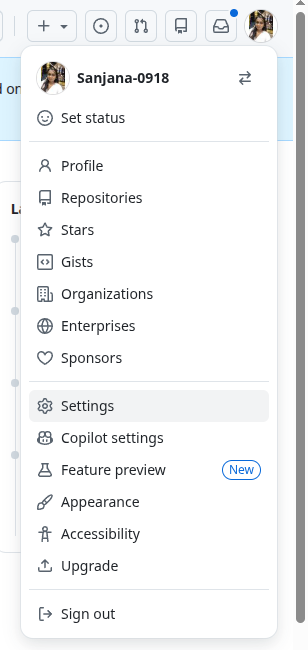
Click on your profile picture in the top-right corner and select
Settings.
-
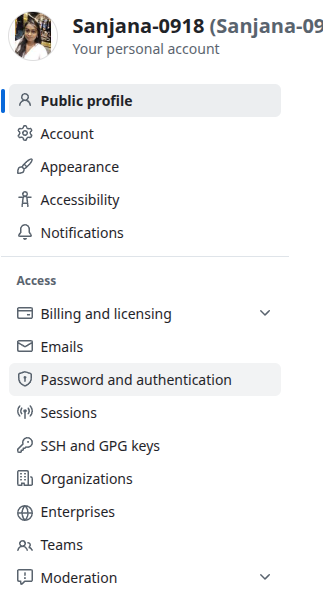
In the left navigation panel, click
Password and authentication.
-
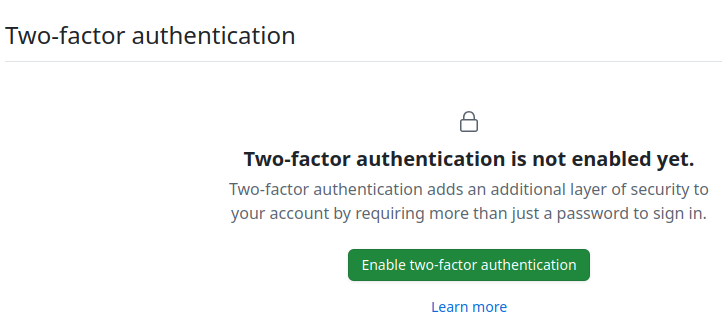
Under the Two-factor authentication section,
click Enable two-factor authentication.
-
Choose your preferred authentication method:
- Authenticator app (recommended)
- SMS authentication (not recommended for high-security environments)
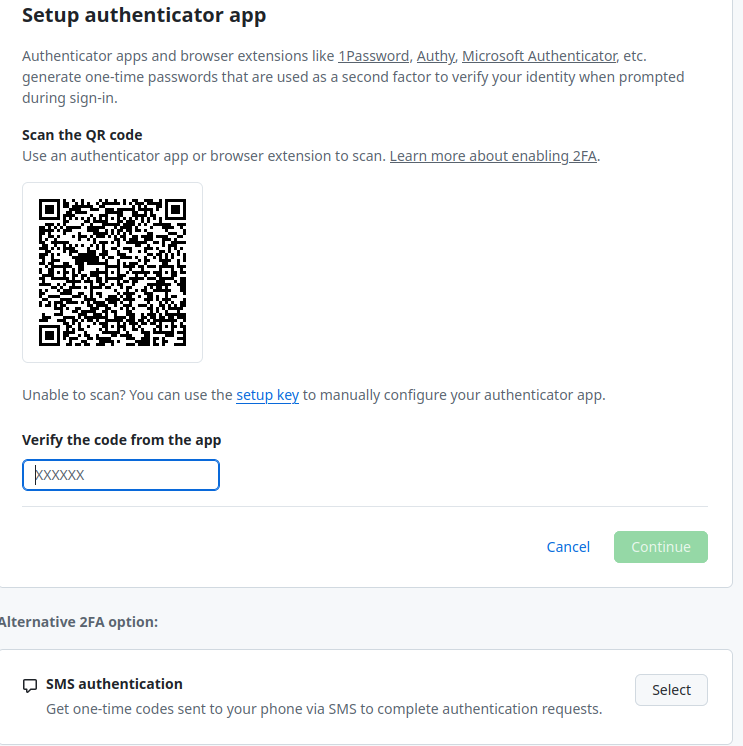
- Complete the setup process and securely store your recovery codes.
Updated on 27 March, 2026