Other Articles
- Cloud SQL – Configure Private IP
- Cloud SQL – Monitor CPU Utilization
- Cloud SQL – Enable Deletion Protection
- Cloud SQL – Enable Disk Encryption
- Cloud SQL – Enable Automated Backups
- Cloud SQL – Enable Log Export
- Cloud SQL – Enforce Password Validation
- Cloud SQL – Protect From Internet Access
- Cloud SQL – Enforce Secure Transport
- Compute Engine – Block Project-Wide SSH Keys
- Compute Engine – Disable IP Forwarding
- Compute Engine – Disable Public IP Addresses
- Compute Engine – Disable Serial Port Access
- Compute Engine – Enable Confidential Computing
- Compute Engine – Enable OS Login
- Compute Engine – Enable Shielded VM
- Compute Engine – Restrict Default Service Account
- General – Deny Public Access to KMS Keys
- General – Enforce Duties Separation
- General – Enforce KMS Key Rotation
- General – Restrict Admin Roles on Service Accounts
- Cloud Storage – Enable Bucket Encryption
- Cloud Storage – Enable Bucket Logging
- Cloud Storage – Enable Bucket Versioning
- Cloud Storage – Enforce Uniform Bucket-Level Access
- Cloud Storage – Restrict Public Access
- IAM Users – Enforce GCP-Managed Keys
- IAM Users – Rotate External User-Managed Service Account Keys
Cloud Run – Configure Timeout Settings
Ensure timeout values are configured for Cloud Run services to prevent resource overuse and improve application stability.
Check Details
- Entity Type: Resources
- Check: Configure Timeout Settings
- Risk: Without configured timeout values, long-running requests may consume excessive resources, impact service stability, and increase the risk of denial-of-service scenarios.
Remediation via Google Cloud Console
-
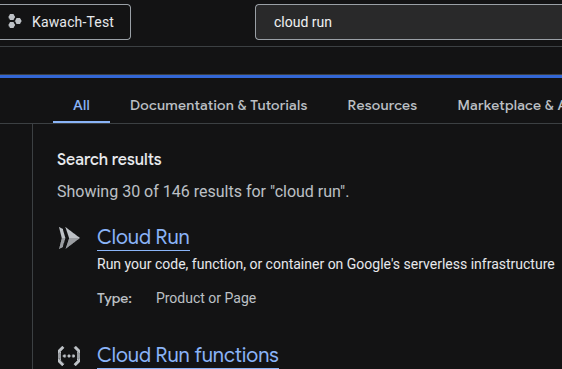
Go to Cloud Run using
Google Cloud Console
.
- Click on the affected Cloud Run service.
-
Click Edit & Deploy New Revision.

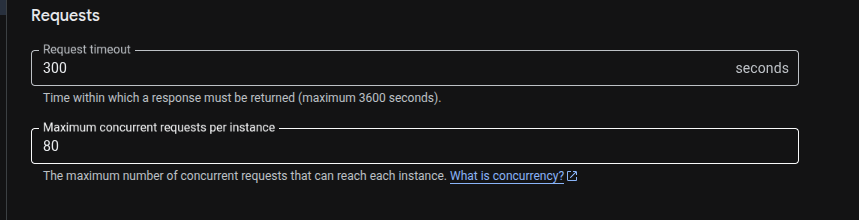
- In the Container(s) section, locate Request timeout.
-
Configure an appropriate timeout value (in seconds) based on application
requirements.
- Click Deploy to apply the changes.
Remediation via Google Cloud CLI
-
Update the Cloud Run service to configure request timeout:
gcloud run services update SERVICE_NAME \
 --timeout=TIMEOUT_IN_SECONDS \
 --region=REGION
Default Value
By default, Cloud Run services use a request timeout of
300 seconds unless explicitly configured.