Other Articles
Microsoft Entra – Restrict Application Creation
Secure Configuration Checks > Microsoft Entra
This check ensures that only authorized users can register applications in Microsoft Entra. Restricting application creation helps prevent unauthorized integrations, shadow IT, and potential data exposure.
Check Details
- Resource: Microsoft Entra ID
- Check: Restrict application creation
- Risk: Allowing all users to register applications can lead to unauthorized app integrations, data exposure, and security risks
Remediation via Microsoft Entra Admin Center
-
Log in to the Microsoft Entra Admin Center.

-
Navigate to Users from the left-hand menu.
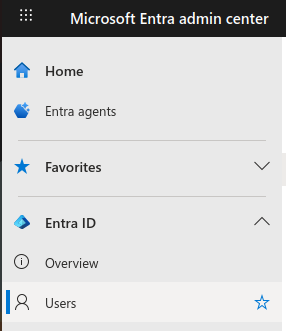
-
Navigate to User settings.
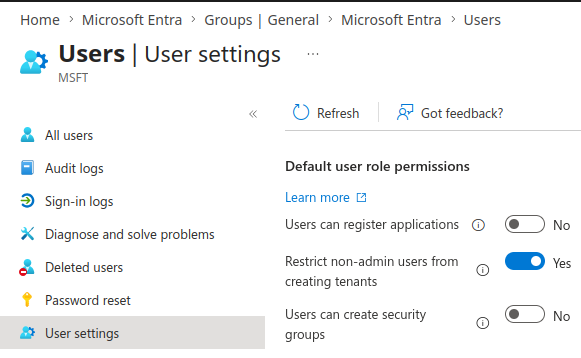
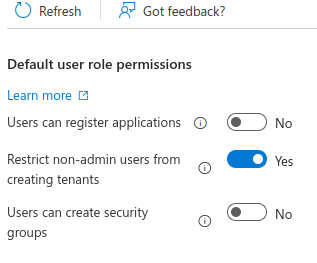
- Locate the setting “Users can register applications”.
-
Set this option to No to restrict application creation to administrators only.
- Click Save to apply the changes.
Default Value
By default, Microsoft Entra allows all users to register applications. This can lead to unauthorized or unmanaged applications if not restricted.
Updated on 20 April, 2026