Other Articles
Secure Root Domain
This check ensures that the root domain redirects all traffic to an SSL/TLS protected HTTPS endpoint. Enforcing HTTPS helps protect data in transit from interception and tampering.
Check Details
- Resource: Domain
- Check: Secure Root Domain (HTTPS Redirection)
- Risk: If the root domain does not redirect to HTTPS, traffic may be transmitted over unencrypted HTTP, exposing sensitive data.
Prerequisites
- An SSL/TLS certificate must be installed for the domain.
- Nginx must be installed and running on the server.
Remediation via Nginx Configuration
Nginx configuration files are typically located at
/etc/nginx/nginx.conf or
/etc/nginx/sites-available/ for site-specific configurations.
-
Open the Nginx configuration file for the root domain.
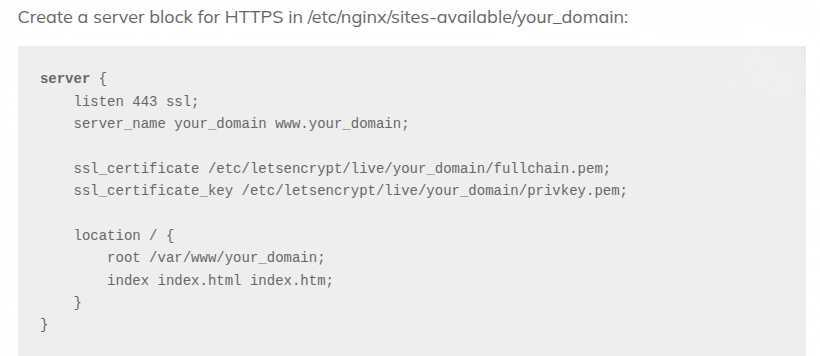
- Configure the HTTPS server block to serve traffic securely.
-
Add a server block to redirect all HTTP traffic to HTTPS using a 301 redirect:
server {
listen 80;
server_name example.com;

    return 301 https://example.com$request_uri;

}
- Ensure your HTTPS server block is correctly configured with SSL certificates.
-
Test the Nginx configuration:
sudo nginx -t -
Reload Nginx to apply the changes:
sudo systemctl reload nginx
Verification
Verify that the root domain redirects HTTP traffic to HTTPS.
curl -I http://example.com
Expected output:
HTTP/1.1 301 Moved Permanently
Location: https://example.com/